

How to refine prompts until the image matches your intent
Ever had an image that didn’t quite match what you had in mind? This guide shows you how to iteratively refine a prompt until the output matches your intent. A vision-language model (VLM) compares each generated image to your desired prompt and suggests revisions; P-Image generates the images.
What we’ll do:
Start with a desired prompt — e.g. “A scene that’s both peaceful and tense”
Generate an image — P-Image turns the prompt into an image
Evaluate with a VLM — DSPy uses GPT-4o-mini to compare image vs desired prompt
Refine and repeat — If it doesn’t match, the VLM suggests a revised prompt; we loop until it does (max 5 iterations)
Run the cells below and you’ll see each output appear as we go. By the end, you’ll have a refined prompt that produces an image matching your intent.
Models used: p-image (Replicate), GPT-4o-mini (via DSPy for VLM evaluation)
This flow is adapted from the DSPy image generation prompting tutorial, using P-Image via Replicate instead of Flux Pro via FAL.
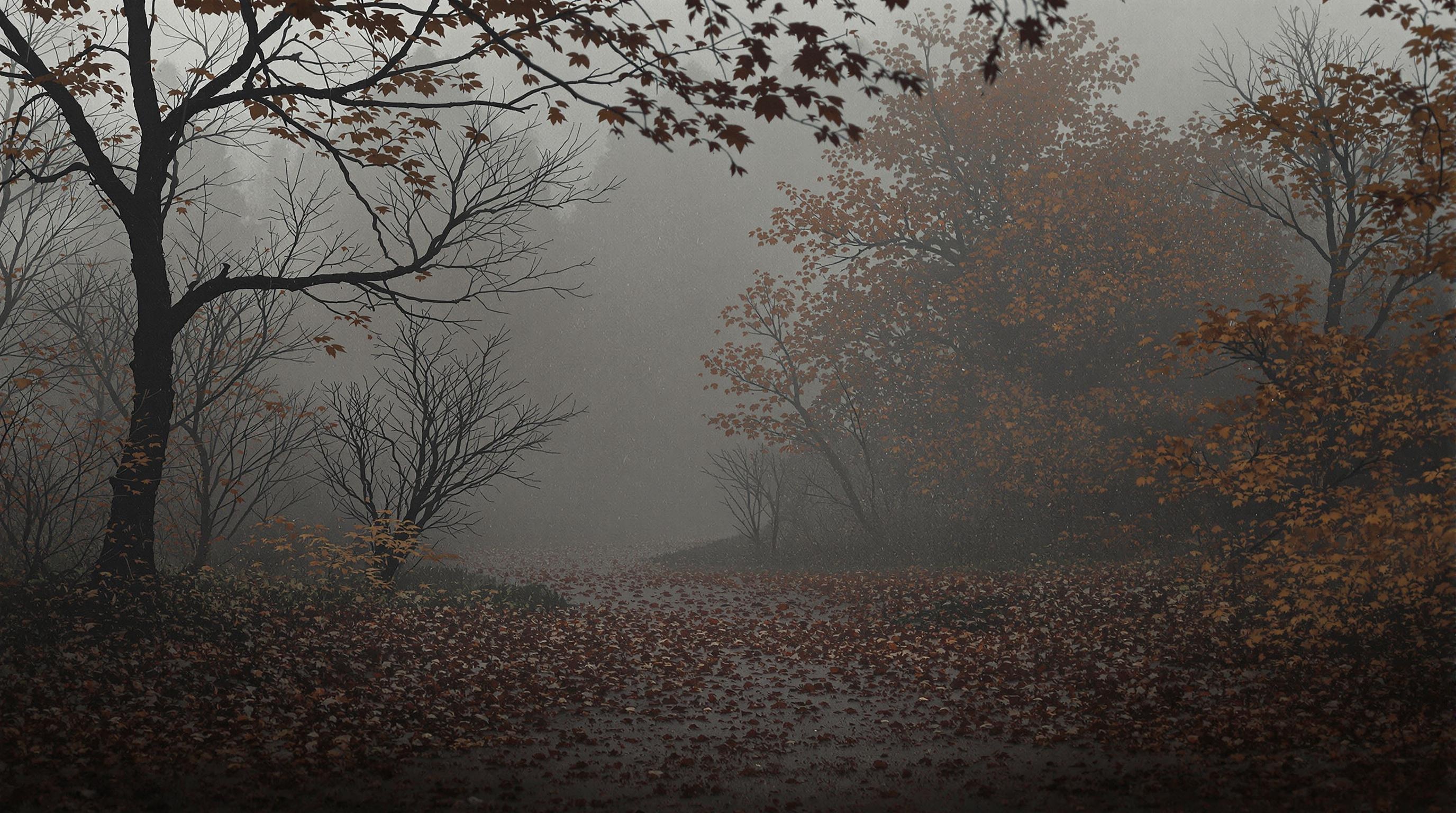
Example: a prompt like “A scene that’s both peaceful and tense” can be refined over a few iterations until the image captures both qualities—peaceful autumn scenery with fog and shadows that evoke subtle tension.
Setup
First, let’s install the packages we need and connect to Replicate and OpenAI. You’ll need API tokens for both—get them from Replicate and OpenAI.
[ ]:
%pip install dspy replicate pillow requests
[ ]:
import os
from io import BytesIO

import dspy
import requests
from PIL import Image as PILImage
from IPython.display import display
from replicate.client import Client
[ ]:
token = os.environ.get("REPLICATE_API_TOKEN")
if not token:
    token = input("Replicate API token (r8_...): ").strip()
replicate = Client(api_token=token)
[ ]:
openai_token = os.environ.get("OPENAI_API_KEY")
if not openai_token:
    openai_token = input("OpenAI API key (sk-...): ").strip()
os.environ["OPENAI_API_KEY"] = openai_token
[ ]:
lm = dspy.LM(model="gpt-4o-mini", temperature=0.5)
dspy.configure(lm=lm)
Step 1: Define the generate and display helpers
We use P-Image via Replicate to generate images from prompts. The output can be a URL string or a list of URLs; we normalize it and return a dspy.Image for the VLM.
[ ]:
def generate_image(prompt: str) -> dspy.Image:
    output = replicate.run(
        "prunaai/p-image",
        input={"prompt": prompt},
    )
    return dspy.Image.from_url(output.url)


def display_image(image: dspy.Image) -> None:
    response = requests.get(image.url)
    pil_image = PILImage.open(BytesIO(response.content))
    display(pil_image.resize((pil_image.width // 4, pil_image.height // 4)))
Step 2: Run the iterative refinement loop
The VLM compares each generated image to the desired prompt and either confirms a match or suggests a revised prompt. We repeat until the image matches or we hit the max iterations.
When you run the cell, each iteration will appear below—image, feedback, and revised prompt. Run the cell and watch the prompts refine.
[ ]:
check_and_revise_prompt = dspy.Predict(
    "desired_prompt: str, current_image: dspy.Image, current_prompt: str -> "
    "feedback: str, image_strictly_matches_desired_prompt: bool, revised_prompt: str"
)

initial_prompt = "A scene that's both peaceful and tense"
current_prompt = initial_prompt
max_iter = 5

for i in range(max_iter):
    print(f"Iteration {i + 1} of {max_iter}")
    current_image = generate_image(current_prompt)
    result = check_and_revise_prompt(
        desired_prompt=initial_prompt,
        current_image=current_image,
        current_prompt=current_prompt,
    )
    display_image(current_image)
    if result.image_strictly_matches_desired_prompt:
        break
    current_prompt = result.revised_prompt
    print(f"Feedback: {result.feedback}")
    print(f"Revised prompt: {result.revised_prompt}")

print(f"Final prompt: {current_prompt}")
Iteration 1 of 5
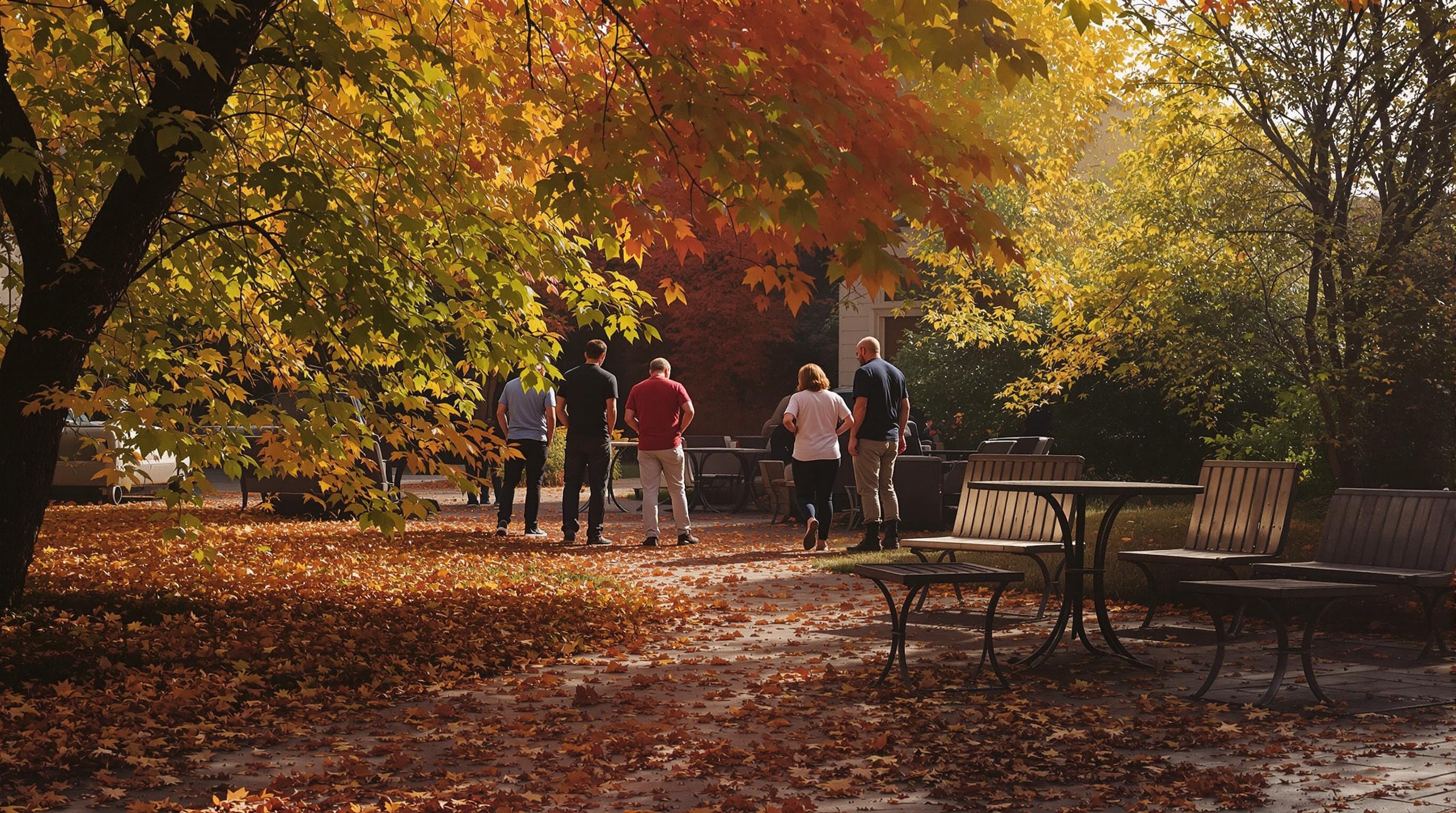
Feedback: The image depicts a peaceful autumn scene with people walking among colorful leaves, which aligns with the peaceful aspect of the prompt. However, it lacks any elements that convey tension, making it not fully representative of the desired prompt.
Revised prompt: A serene autumn scene with elements that suggest underlying tension
Iteration 2 of 5
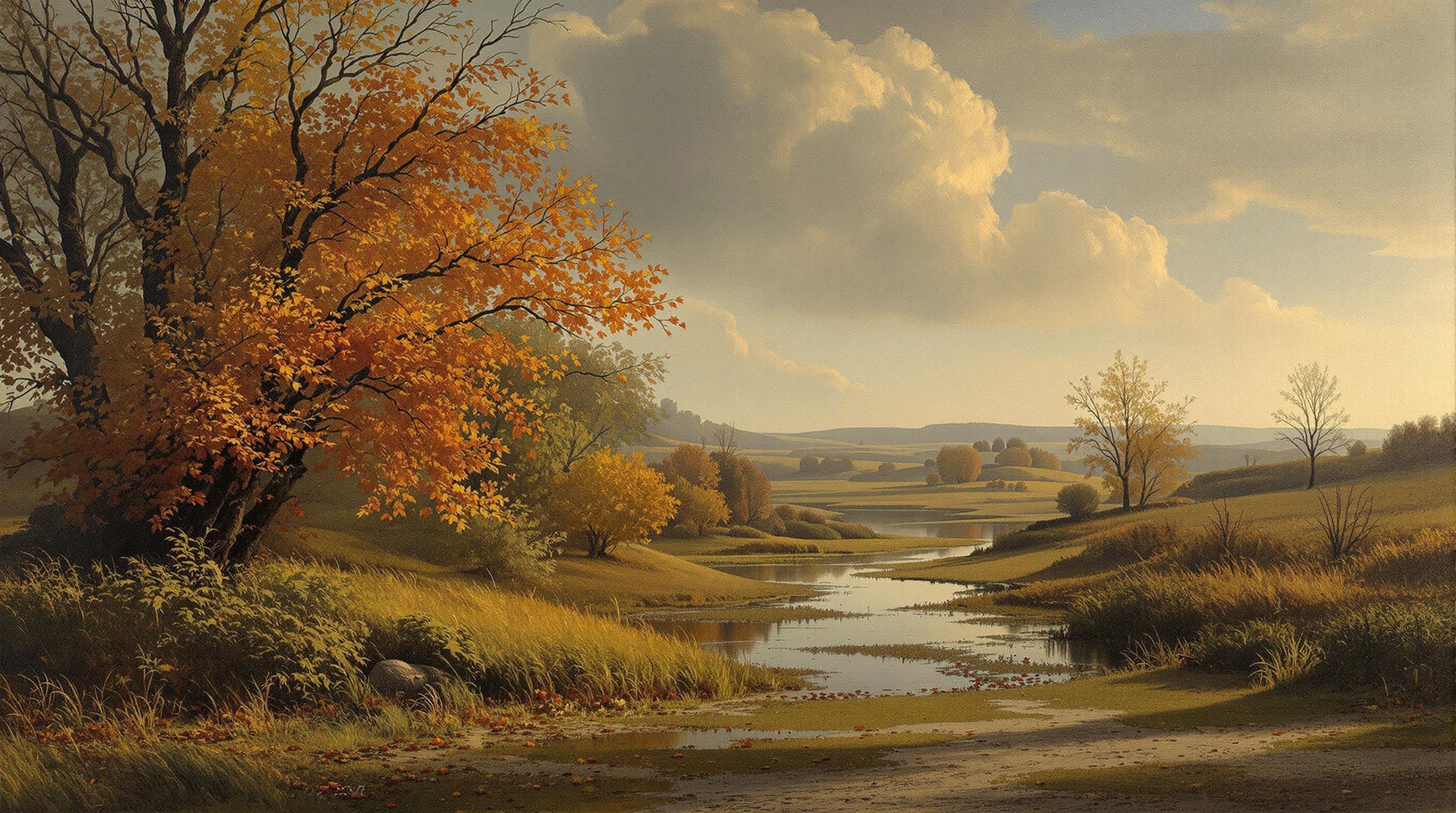
Feedback: The image depicts a serene autumn scene with vibrant foliage and a calm river, which aligns well with the idea of peace. However, it lacks explicit elements that suggest underlying tension, making it less effective in conveying both aspects of the desired prompt.
Revised prompt: A serene autumn scene with elements that evoke a sense of unease or foreboding
Iteration 3 of 5
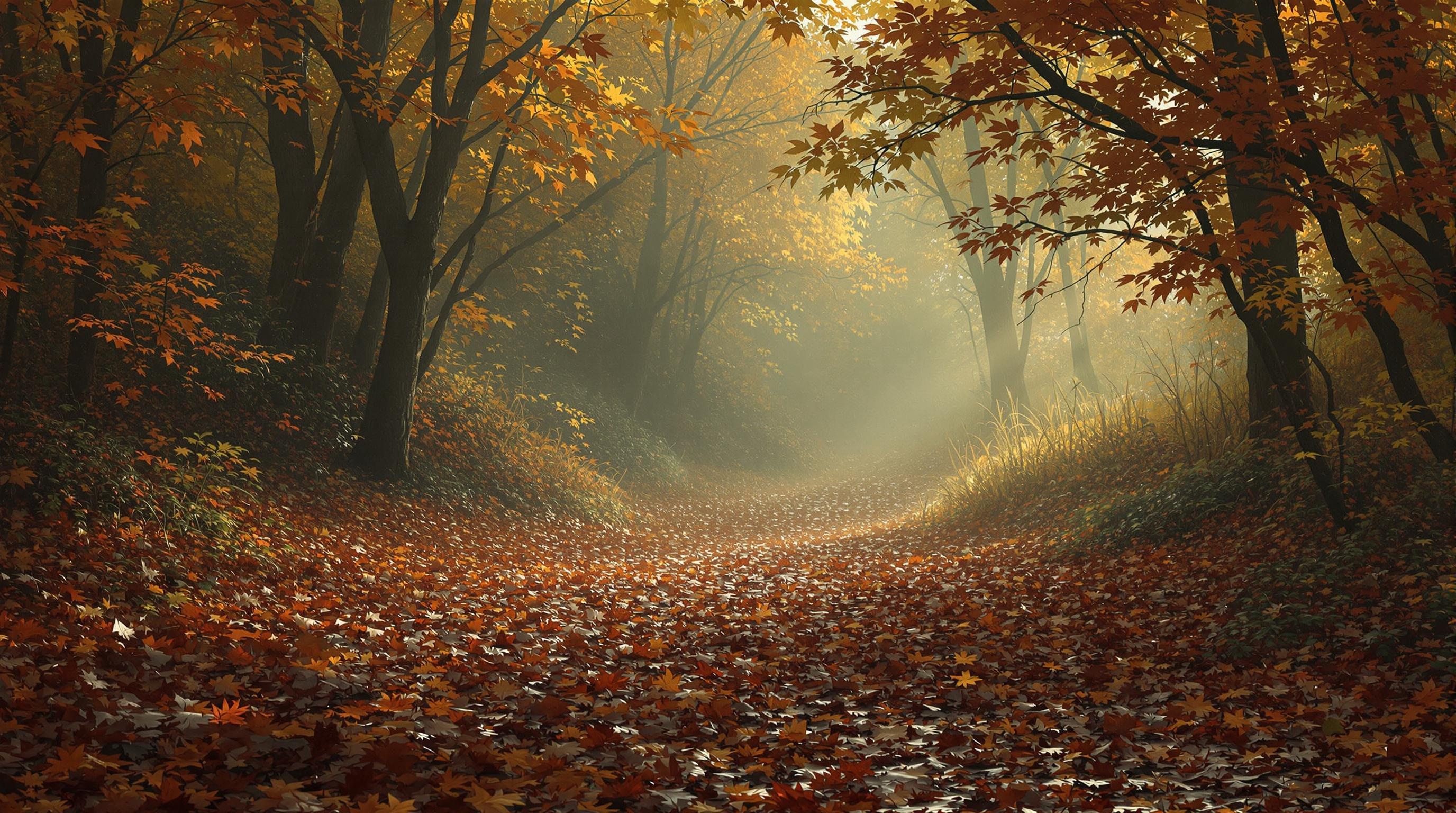
Feedback: The image depicts a serene autumn scene with warm colors and soft lighting, which aligns with the peaceful aspect of the desired prompt. However, it lacks elements that evoke tension or unease, making it not fully meet the requirement for a scene that is both peaceful and tense.
Revised prompt: A serene autumn scene that includes subtle elements of tension or foreboding, such as dark shadows or an unsettling atmosphere.
Iteration 4 of 5
Final prompt: A serene autumn scene with fog and shadows, capturing both peace and tension.
Step 3: Inspect the VLM history (optional)
Use dspy.inspect_history to see the last few VLM interactions for debugging. This shows the full prompt structure sent to the VLM and its responses.
When you run the cell, the history will appear below.
[ ]:
dspy.inspect_history(5)
[2025-01-17T11:38:24.032318]

System message:

Your input fields are:
1. `desired_prompt` (str)
2. `current_image` (dspy.Image)
3. `current_prompt` (str)

Your output fields are:
1. `feedback` (str)
2. `image_strictly_matches_desired_prompt` (bool)
3. `revised_prompt` (str)

User message:

[[ ## desired_prompt ## ]]
A scene that's both peaceful and tense

[[ ## current_image ## ]]
<image_url: https://fal.media/files/monkey/...>

[[ ## current_prompt ## ]]
A serene autumn scene with elements that suggest underlying tension

Response:

[[ ## feedback ## ]]
The image depicts a serene autumn scene with vibrant foliage and a calm river, which aligns well with the idea of peace. However, it lacks explicit elements that suggest underlying tension, making it less effective in conveying both aspects of the desired prompt.

[[ ## image_strictly_matches_desired_prompt ## ]]
False

[[ ## revised_prompt ## ]]
A serene autumn scene with elements that evoke a sense of unease or foreboding

[[ ## completed ## ]]

... (4 more interactions)
Conclusion
As we’ve seen, we can use a VLM with DSPy to iteratively refine an image-generation prompt until the output matches your intent. P-Image generates each image, and the VLM compares it to your desired prompt—suggesting revisions when it doesn’t quite match. This helps you get the image you want without manually tweaking prompts by trial and error.